Monday, September 16, 2013

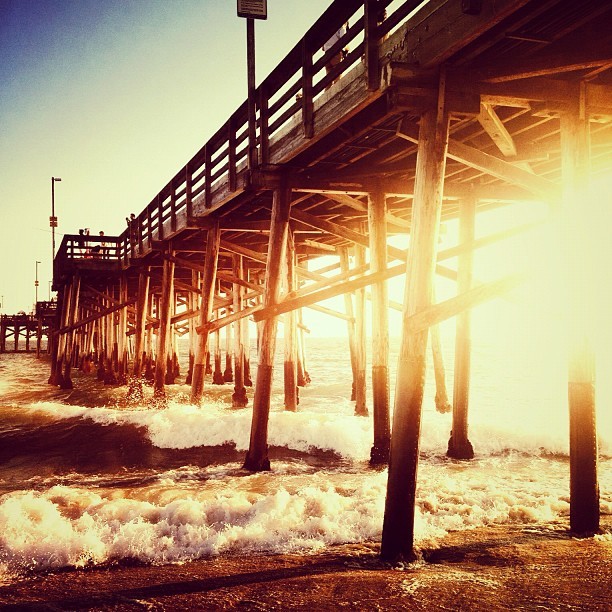
Instagram Relfections

Select your Instagram favorite photo, post it to your blog.
Save it, copy it, or paste the URL to your blog. or if all else fails- click "print screen" on your key board and then paste the image into "Photoshop".
Answer questions based on your selected image:
  1. Why did you choose this as your favourite?
  2. What was the photo topic i.e. hashtag.
  3. Identify the subject.
  4. Describe what is in the background.

Thursday, September 12, 2013

10 Breaking the Rules Techniques

1st Find an example  of the 5 breaking the rules techniques. Post the photos to your blog, title it by the technique and define the technique based on the photo that you chose.

2nd Go out with your camera and take a series of  photos with people using the 5 breaking the rules techniques that you found. Remember to include a subject and all of theose emphasis techniques, keep the background simple etc. You should take at least 15 photos.

3rd When you finish taking you 15 photos, download them to your file, then organize your photos in a contact sheet as per instructions via Adobe Bridge and then upload 5 images (one of each technique) to your blog and label.

4th Then we are going to do some portrait/shape double exposures in B/W with toy cameras.

Monday, September 9, 2013

Instagram Assignment

Today we are to go out to take photos with our personal electronic devices- cell phone, ipod, anything with a camera to take a collection of photos based on the following inspiration:
  1. Self-Portrait
  2. LFAS Community Garden
  3. My LFAS
Take several photos for each topic with your phone camera.


Choose your favourite photo and upload it to the class Instagram site, Type your name in the comment line and/or hashtag your name
and hashtag the #topic.

D1 Class:
Login: lfasphoto910e
Password: lfas1234

D2 Class:
Login: lfasphoto9102
Password: lfas1234

Wednesday, May 29, 2013

10 Photoshopping your Studio Portraits

Try a few Photoshop techniques with one or more of your Studio Portraits post it to your blog when you are finished:
1. Simple TOUCH UP

https://www.youtube.com/watch?v=v_iuw6k-txY
and or
TOUCHING UP and SELECTIVE SHARPENING your portrait: https://www.youtube.com/watch?v=94BMoqtur1Q

2. CONVERT your digital portrait to BW:
https://www.youtube.com/watch?v=vjTkwxLPClA

3. SELECTIVE COLOUR in a area of your portrait:
https://www.youtube.com/watch?v=OcRbEwUQcb0

4. SELECTIVE BLUR and VIGNETTE:
https://www.youtube.com/watch?v=qzZsIqm-Z2I

Friday, January 25, 2013

10Term2 Assignments

  1. Aperture Questions
  2. Aperture Contact Sheet
  3. Aperture Images 3, short medium, long
  4. Studio Portraits Contact Sheet
  5. Studio Portraits 3 Images Labled
  6. Studio Portraits
  7. Comic Narrative
  8. 2012 in Photos
  9. Panorama Examples
  10. Panorama 3 Contact Sheets
  11. Panorama Final

9 Term2 Assignments

  1. Photohop Comic Portrait
  2. Shutter Questions
  3. Shutter Examples
  4. Shutter Contact Sheet
  5. 6 Shutter Images Best, labled with effect
  6. Camera Questions
  7. 5 Portrait Examples
  8. 2012 Year in Photos
  9. Darkroom Question Sheet
  10. BW Portrait Contact Sheet
  11. BW Portrait Print

Monday, January 7, 2013

2012 Year in Photos

Happy New Year Everyone!
For our first day back to school after the winter break, we are going to reflect on the past year through photographs that marked  significant events. There are a few sites that host selections of photos from the year. We are going to look at a few with the class and then you can explore on your own to find photos that you find important to you either something that you remember, or perhaps images that inspire change:

MSNBC.com
Reuters.com 
TIME Magazine
TIME 366
MSNBC- New Years Traditions
NYTimes- The Lens

You are to select 2 impactful images from 2012 and add them to your journal/blog. Write a short reflection of the event that the image is representing and why you chose it.